How to Add Members From One Telegram Group to Another (2026)
Last updated: October 2026
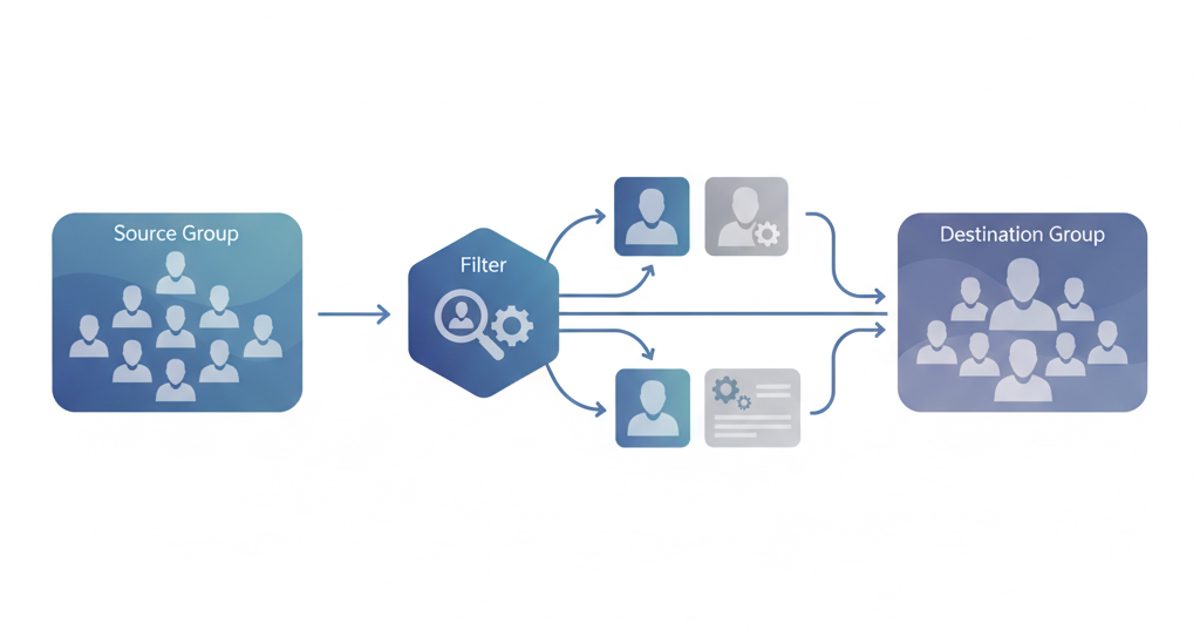
The main method for how to add members from one telegram group to another involves scraping users from a public source group and adding them to your own with automation software. This technique requires multiple Telegram accounts and can take hours or days, depending on the number of members you add.
Group-to-Group (G2G) Adding: A growth method that involves automatically scraping user IDs from a public "source" group and adding them to a new "destination" group. This allows community managers to quickly populate a new group with users who have a demonstrated interest in a specific topic, bypassing slower organic growth methods.
This member-adding technique, often called Group-to-Group (G2G) adding, is a common growth tactic. It helps build a new community by targeting people already interested in your niche. The platform's rapid growth makes it an attractive target for community builders.
2.5 million new users sign up for Telegram every day., Pavel Durov, 2024
However, the G2G method operates in a grey area of the platform's policies. It carries significant risks, including account bans and high member drop rates, if not done carefully.
Key Takeaways
- Scrape First, Then Add: The process has two main phases: exporting a user list from a public source group and then using software to add them to your group.
- Automation is Essential: Manually adding more than a handful of users is not realistic. You need special software to manage multiple accounts and automate the process.
- Managing Risk is Essential: Aggressive adding leads to account restrictions (
FLOOD_WAITerrors) and permanent bans. Success depends on using proxies and conservative timing delays. - Expect High Churn: Members added without consent often leave. An initial drop rate of 50-70% in the first week is widely expected with this method if the group isn't immediately valuable.
- This Only Works for Groups: You cannot automatically add members to a Telegram Channel beyond the initial 200. This technique applies only to groups where members have permission to add other users.
Which Method is Better: Manual or Automated Adding?
There are two main approaches to moving members. The manual method is highly impractical for scaling, while automation presents its own technical requirements and risks.
| Method | Speed | Scalability | Risk Level | Best For |
|---|---|---|---|---|
| Manual Adding | Extremely Slow | None | Low (if done slowly) | Adding a few friends or colleagues. |
| Automated Adding | Fast | High (thousands per day) | High | Seeding new communities, targeted marketing. |
What Are the Requirements Before You Start?
Before attempting to transfer members, you must have the right assets and setup. Skipping any of these steps greatly increases the failure rate and risk of account loss.
- A Public Source Group: The target group must be public, and its member list must be visible. You cannot scrape members from a private group or one where an admin has hidden the member list.
- Your Destination Group: You must be the owner or an admin of the group you are adding members to, with permissions to add new users.
- Worker Telegram Accounts: You need multiple Telegram accounts to perform the adding. Using a single account will get it restricted almost immediately. These should be aged accounts, not brand new ones. For guidance on acquiring them, see the checklist for buying Telegram accounts safely.
- Proxies: To avoid having all your worker accounts blocked at once, each account must be run through a different IP address. High-quality residential or 4G mobile proxies are standard. A poor Telegram proxy setup is a common point of failure.
- Scraping and Adding Software: A special tool is needed to first scrape the user IDs and then automate the adding process across your worker accounts.
How to Add Members From One Telegram Group to Another: Step-by-Step
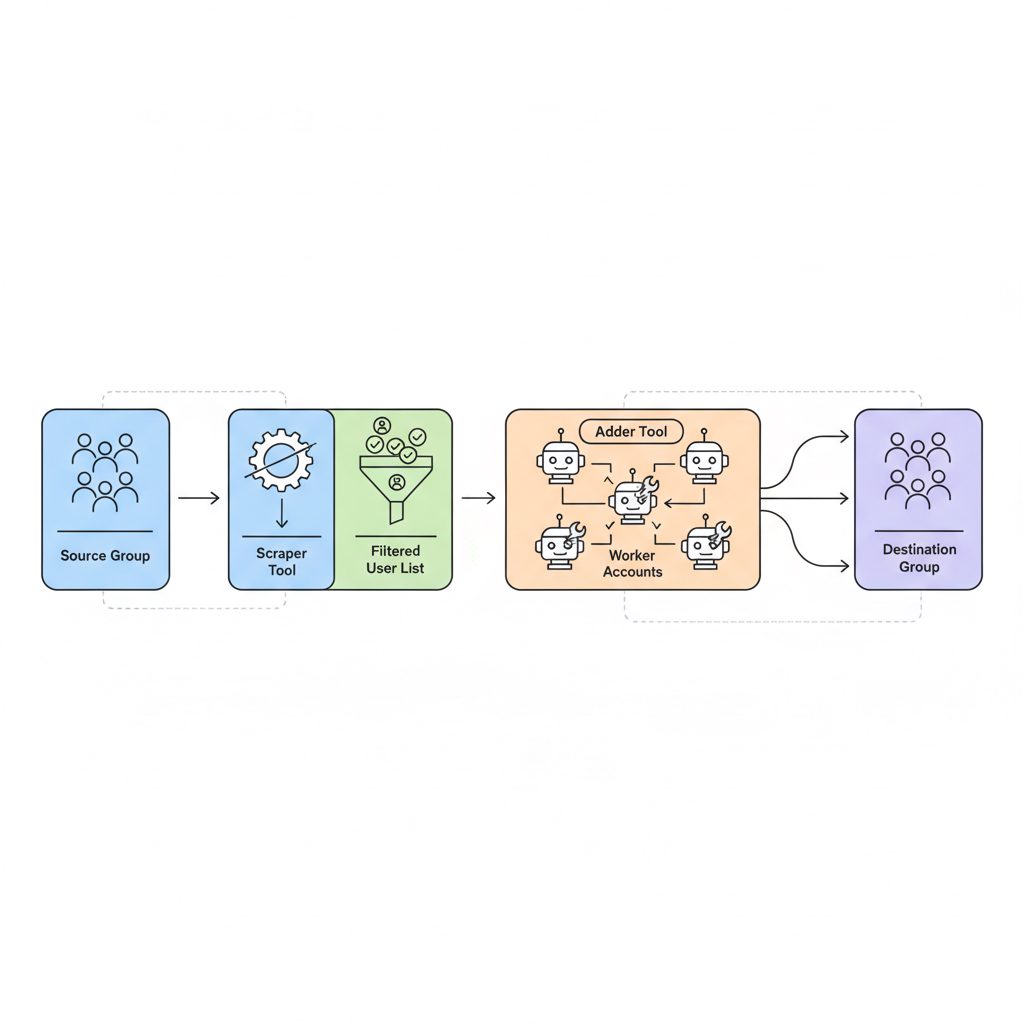
The steps below outline the process using automation software. The specific user interface will vary between tools, but the principles are the same.
- Scrape the Source Group: Use your software to target a public group. The tool will join the group with a worker account and export a list of all visible member IDs into a text or CSV file. This process is covered in depth in our Telegram Scraper Guide.
- Filter the User List: A raw scrape includes bots and inactive accounts. You must filter this list to improve results. For instance, you should prioritize users who were "online recently" or within the last week. Adding inactive accounts provides no value and increases risk.
- Prepare Your Worker Accounts: Load your pool of worker accounts into the software. Good software allows for managing multiple Telegram accounts in a central dashboard. Then, assign a unique proxy to each account.
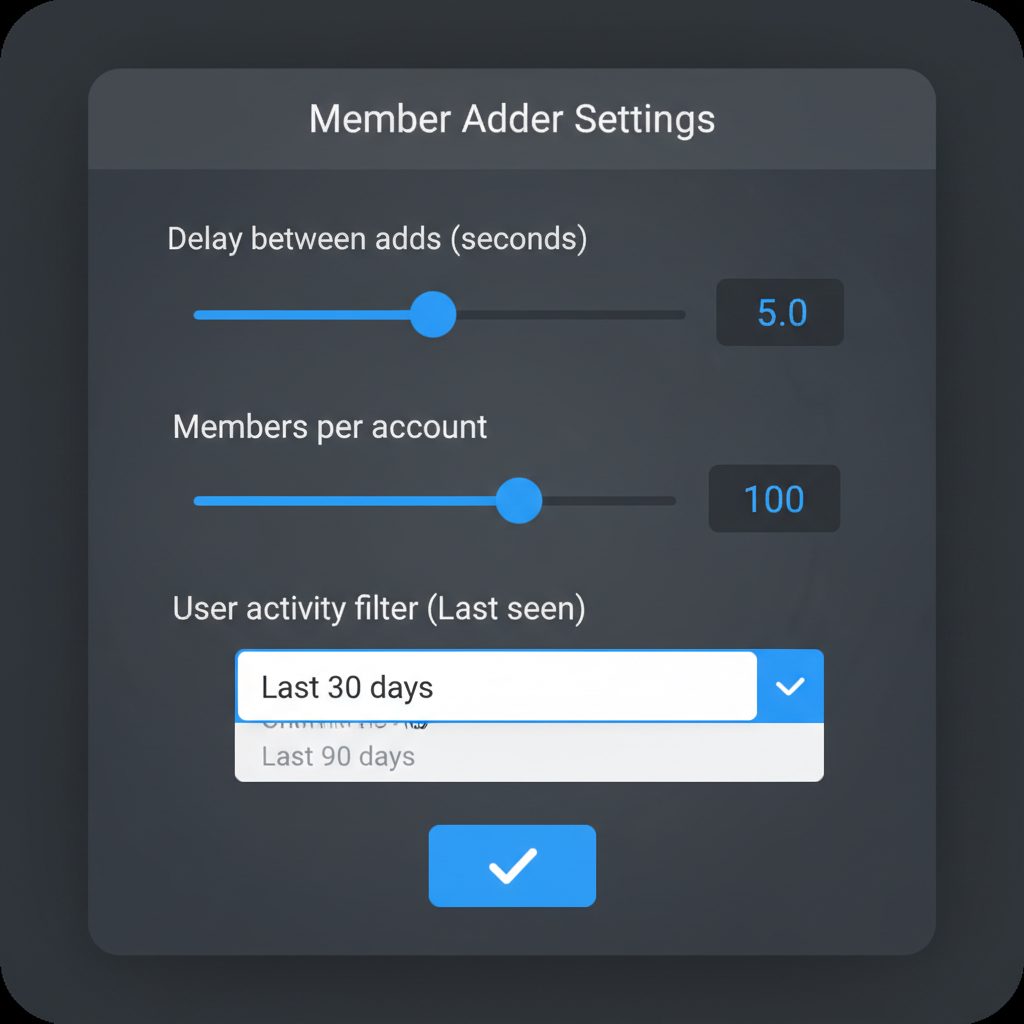
- Configure Adding Parameters: This is the most important step for risk management. You must set conservative limits. For example, a safe starting point is a 60-120 second delay between each add action and a cap of 20-40 members per worker account per day.
- Initiate the Adding Process: Start the automation. The software will log into each worker account, add a user from your filtered list to your destination group, wait for the specified delay, and repeat. It will cycle through the worker accounts to distribute the load.
- Monitor Account Health and Logs: Watch the software's log output for errors. The most common is
FLOOD_WAIT_X, which means Telegram has temporarily restricted an account for performing an action too frequently. The software should automatically pause that account and continue with others.
How Does a G2G Adder Tool Work?
The process described above requires specific software. The TgSoft suite includes a G2G (group member adder) module designed for this purpose. It integrates account management, scraping, and adding into a single interface.
The tool automates the steps of scraping users from a target group, filtering them by recent activity, and using a pool of your own accounts to add them to your group. As a result, it includes detailed settings for delays and limits to help manage the risk of account restrictions.
The G2G method trades user consent for speed, making high member churn an expected cost of rapid community seeding.
However, this is not a magic bullet. The G2G adder cannot bypass Telegram's underlying anti-spam systems. It is a powerful tool for operators who understand the mechanics and risks. If you are looking for a completely risk-free or one-click solution, this tool is not the right fit.
What Are the Risks and How Do You Minimize Them?
Group-to-group adding is an aggressive tactic that carries inherent risks. Understanding them is key to long-term success.
- Account Bans: If an account is too aggressive or gets too many user reports, Telegram may ban it permanently. This is why you must use a pool of disposable worker accounts, not your personal or primary business account.
- Low Retention: Members added this way often leave quickly because they did not ask to join your group. Your content and community management must be excellent to convince them to stay.
Minimization Strategy: The core principle is to mimic human behavior. Use long, randomized delays between 60 and 300 seconds. Most importantly, add no more than 40 members per account in a 24-hour period. Finally, use high-quality, country-matched proxies for your accounts.
According to Telegram's official FAQ, any member of a group can invite other users. Groups can have up to 200,000 members, and it is this member-level permission that automation tools use. Channels work differently; only admins can add the first 200 members.
The core risk of G2G adding is simple: you are violating Telegram's Terms of Service by sending unsolicited invitations.
What's My Pre-Launch Checklist?
Before you begin an adding campaign, run through this final checklist.
- Source Group Vetted: Have you confirmed the source group is public and its member list is visible and contains active users?
- Destination Group Ready: Is your group prepared with a welcome message, clear rules, and some initial content to engage new arrivals?
- Sufficient Worker Accounts: Do you have a pool of at least 5-10 healthy, aged worker accounts ready to use?
- Proxies Tested: Are your proxies assigned to your accounts and confirmed to be working?
- Conservative Settings Applied: Have you set your delays and daily limits to prioritize account safety over speed?
- Risk Acknowledged: Are you prepared to lose some worker accounts as a normal cost of this marketing activity?
Frequently Asked Questions
How many members can I add to a Telegram group per day?
Telegram does not publish an official limit. The functional limit is determined by their anti-spam algorithms. A commonly recommended safe rate is 20-40 members per worker account per day. Therefore, if you use 10 accounts, you can aim to add 200-400 members daily. Exceeding this greatly increases the risk of account restrictions.
Is it illegal to add members from another group?
In most jurisdictions, it is not illegal in a criminal sense. However, it explicitly violates Telegram's Terms of Service, which prohibit "sending spam or other unsolicited messages." This can result in Telegram banning your worker accounts and potentially placing restrictions on your destination group if it receives too many spam reports from newly added users.
Can I add members to a Telegram channel instead of a group?
No. This is an important distinction. Only administrators can add the first 200 subscribers to a Telegram channel, according to the platform's official documentation. After that, people must join via an invite link. Group member adding is only possible because standard group permissions allow any member to invite others. Automation software uses this member-level permission.
Why are the members I added leaving my group?
They are leaving because they were added without their permission. High drop rates are normal. Your group's ability to retain these members depends entirely on the immediate value you provide. If the group's topic is highly relevant to the source group and your content is engaging, a fraction will stay. Expect a drop rate of 50-70% within days.
What's the difference between adding members and buying them?
The key difference is targeting. When you "buy members" from a generic panel service, you are typically getting low-quality, inactive, or bot accounts from a random pool with no interest in your topic. The former offers a chance at engagement; the latter only inflates a number.