Telegram Multi-Account Software for PC: A 2026 Operator's Guide
Last updated: October 2026
You can manage multiple Telegram accounts on a PC using the app's built-in switcher, separate portable versions, or dedicated software. For professionals, Telegram multi account software for PC is a tool that lets you manage many accounts from one computer, keeping each one separate to prevent bans. Plans for these tools often start around $59 per month.
While Telegram's official app supports up to three accounts, this is mainly for personal use. This growth makes it a critical platform for businesses. A 2024 HubSpot report found that 80% of businesses plan to increase or maintain their investment in community platforms like Telegram. However, managing a large presence requires specialized tools to avoid account suspension.
Telegram multi account software: A specialized application for PC that allows users to manage dozens or hundreds of Telegram accounts from a single interface, with each account isolated. Why it matters: This software is essential for agencies and marketers because it automates session and IP isolation. This automation prevents the mass suspension of accounts that often occurs when many are run from a single device without protection.
For casual users, the built-in features are enough. However, for agencies or marketers managing many accounts, simple methods create risks of account linkage and chain-reaction bans. Therefore, professional work requires tools built for session and IP isolation.
Key Takeaways
- Use the native app for three or fewer accounts. The built-in switcher is convenient for personal use but links all accounts to a single IP address and device fingerprint.
- Employ portable versions for limited testing. Creating separate data folders offers some isolation. However, it is clumsy to manage and still shares an IP by default, posing a risk at scale.
- Adopt dedicated software for 10+ accounts. Specialized tools automate the management of hundreds of accounts, each with its own proxy and isolated session.
- Prioritize IP hygiene above all. The most common reason for mass account suspension is Telegram identifying multiple accounts operating from a single IP address.
- Automate responsibly. Any automation must respect Telegram's API rate limits to avoid being flagged as spam. Platform abuse can lead to account restrictions.
How Can You Run Multiple Telegram Accounts on PC?
Choosing the right setup involves balancing convenience, cost, and security. While basic methods work for a handful of accounts, they create significant risk when you manage more. For that reason, professional operators must focus on keeping accounts separate to protect them.
| Method | Max Accounts | IP Isolation | Ease of Use | Best For |
|---|---|---|---|---|
| Official App Switcher | 3 | None (Shared IP) | Very Easy | Personal use, switching work/private |
| Portable Instances | ~10 (manually) | Poor (Requires manual proxy config) | Medium | Small-scale testing, low-risk tasks |
| Virtual Machines (VMs) | Hardware-dependent | Excellent | Hard | High-security isolation for a few critical accounts |
| Dedicated Management Software | 100s+ | Excellent (Automated proxy rules) | Easy (Centralized) | Agencies, marketers, large-scale operators |
Method 1: The Official App's Built-in Switcher
Telegram's desktop client natively supports adding up to three accounts. You can switch between them easily from the main menu. This feature is designed for individuals managing a personal, work, and side-project account, for example.
However, all three accounts operate from the same installation and share your computer's IP address. This is a critical point. If one account is restricted for any reason, the others are immediately suspect. Consequently, this method is not good for any business use where you need accounts to last.
Method 2: Portable Telegram Instances
A common workaround involves using the portable version of Telegram Desktop. By creating separate folders and copying the Telegram executable into each, you can launch multiple, independent instances. Each folder contains its own tdata subdirectory, which stores session and user data.
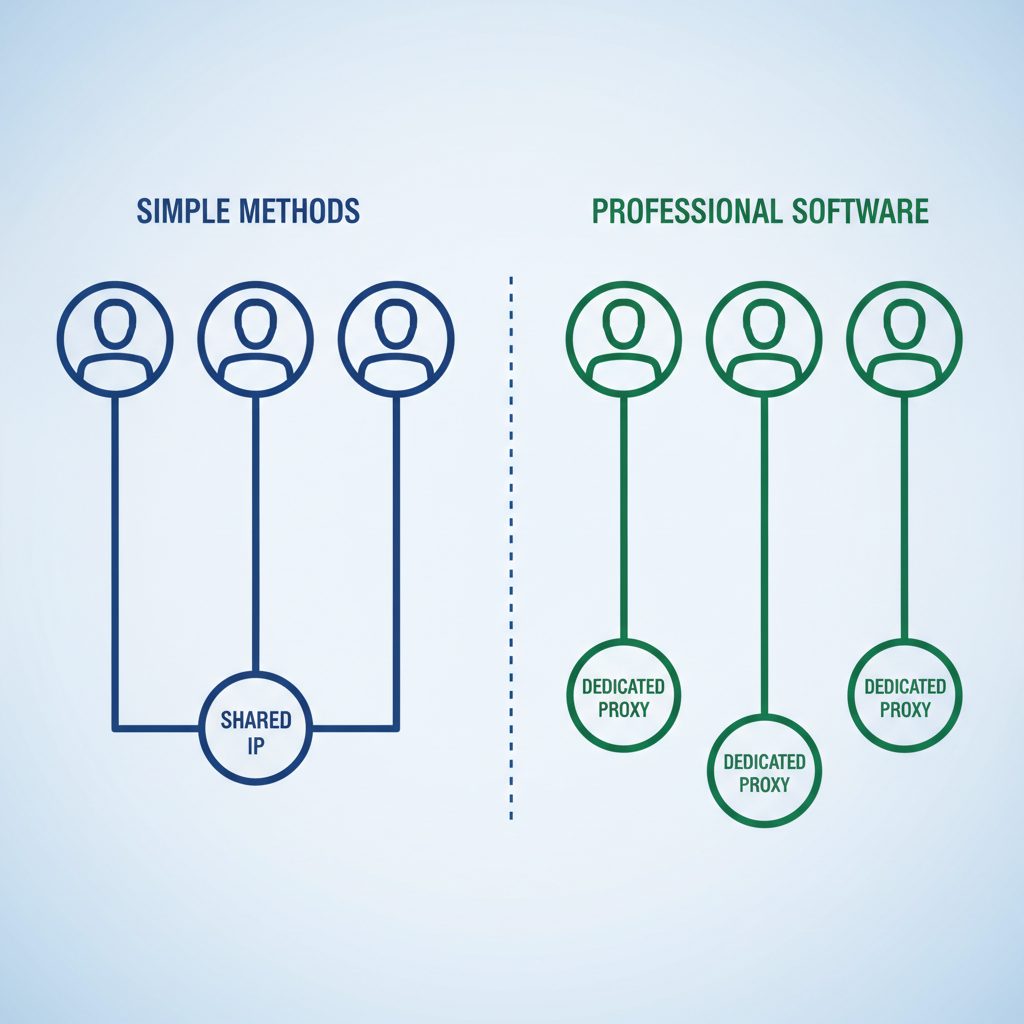
This provides session isolation, but it does not solve the core IP address problem. All instances will still use your machine's default internet connection. As a result, while you can configure a proxy for each instance individually, this process is entirely manual, error-prone, and does not work well for more than a few accounts.
Method 3: Dedicated Multi-Account Software
For operators managing more than 5-10 accounts, dedicated Telegram multi account software for PC is the standard. These applications act as a management layer. They allow you to run hundreds of accounts from a single dashboard while enforcing strict isolation.
The main purpose of this software is to automate what is manual and fragile in other methods:
- Session Management: Each account runs in its own sandboxed environment.
- Proxy Automation: The software automatically assigns a unique proxy to each account based on your rules, ensuring no IP overlap.
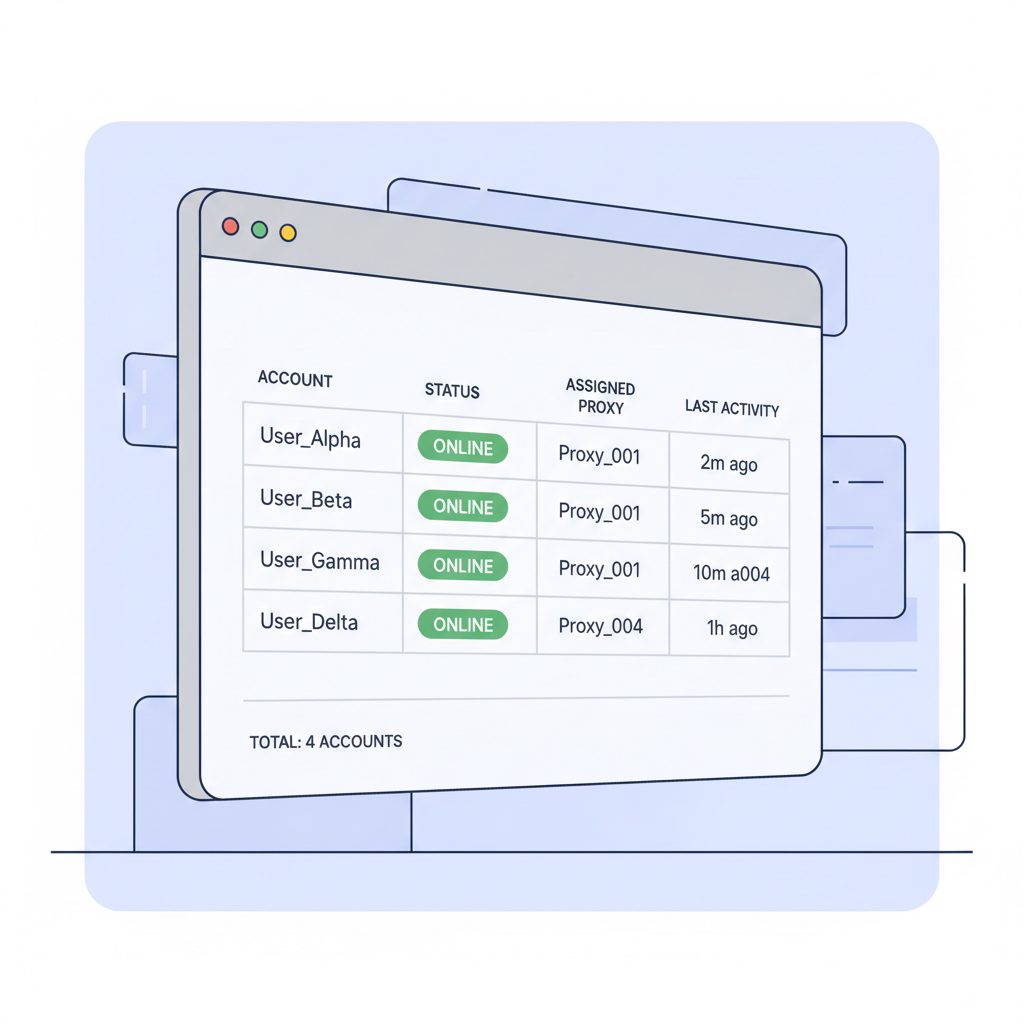
- Centralized Control: You can view all accounts, perform actions, and manage settings from one interface instead of juggling dozens of windows.
This approach simplifies the process, reducing the human error that often makes managing many Telegram accounts difficult.
Why Do Simple Methods Fail When Managing Many Accounts?
Relying on the built-in switcher or manual portable instances for serious work is not a question of if you will have problems, but when. The risks are basic to how platforms detect coordinated activity.
IP Address Linking: The Primary Risk
IP address linking is the main way platforms detect related accounts. When multiple accounts perform similar actions from one IP, algorithms flag them as related. A flag on one account can place every other account on that IP under scrutiny. This can lead to a chain reaction of suspensions.
Operational Inefficiency: The Problem with Manual Management
Manual methods are also highly inefficient. For example, manually launching 20 portable instances, checking each one's proxy settings, and tracking their activity is not a practical workflow.
This process is slow and invites mistakes, such as forgetting to enable a proxy. That one mistake can immediately link an account to your home IP and any other accounts that have made the same error, risking all of them.
How Does Dedicated Software Prevent Bans?
TgSoft provides professional-grade tools for Telegram operators, including a dedicated multi-account manager. It is designed to solve the isolation and efficiency problems that manual methods cannot. Plans for the manager start at $59 per month.
The software is a desktop application for Windows that acts as a central command center for hundreds of Telegram accounts. Its core function is to enforce a "one account, one proxy, one fingerprint" rule automatically. It isolates each account session. This ensures they cannot see each other and that each communicates with Telegram's servers through its assigned proxy.
The core principle of safe multi-accounting is simple: one account, one digital identity.
This tool is for marketers, SMM agencies, and channel administrators who need to manage a large inventory of accounts for legitimate purposes. It is not designed to help spammers. The goal is to avoid unintentional account linkage, not to bypass Telegram's Terms of Service, which explicitly forbid spam and manipulation.
For operators who need to manage accounts with minimal risk, you can explore the features in TgSoft's Multi-Account Manager.
Best Practices for Multi-Account Safety
Software is only part of the solution. Your own methods determine the long-term health of your accounts.
- Strictly Enforce One-to-One Proxy Mapping: Never share a proxy between multiple Telegram accounts. The risk of contamination is too high. Use high-quality residential or mobile proxies for activities that require a high trust score.
- Warm Up New Accounts: A new account that immediately begins high-volume activity is a classic spam signal. Warm up accounts by adding profile details, joining a few channels, and engaging in light activity for several days before using them for outreach.
- Respect Rate Limits: Telegram limits all actions. According to Telegram's Bot API documentation, exceeding these limits can result in errors and temporary blocks. For example, bots are limited to sending 20 messages per minute in the same group. While user accounts have different limits, the principle is the same. Good automation software paces its actions to stay within safe, human-like thresholds.
Per Telegram's Terms of Service, users must not "promote violence on public channels" or "post illegal pornographic content on public channels." While multiple accounts are not forbidden, using them for spam or platform abuse is.
By combining powerful software with disciplined practices, managing a large portfolio of Telegram accounts becomes a predictable and efficient process.
FAQ
How many Telegram accounts can I have on one PC?
Natively, the official Telegram Desktop app allows you to be logged into three accounts at once. Using portable versions or specialized multi-account software, you can run dozens or even hundreds, limited only by your computer's resources and your ability to manage them with unique proxies.
Is it legal to have multiple Telegram accounts?
Yes, it is not against Telegram's Terms of Service to own multiple accounts. However, using those accounts for activities that are prohibited, such as spam, scams, or other forms of platform manipulation, is against the rules and will lead to suspension.
Can Telegram detect multiple accounts on one computer?
Yes, Telegram can infer that accounts are related if they share the same IP address or have similar device fingerprints. This is the primary reason professional operators use management software to assign a unique proxy and isolated session to every account.
What is the best software for managing multiple Telegram accounts?
For casual users with three or fewer accounts, the official app is sufficient. For professionals, agencies, or marketers managing 10+ accounts, dedicated software like TgSoft's Multi-Account Manager is the standard for its centralized control, automated proxy assignment, and session isolation features.